Share a TRUE certificate as a merit on LinkedIn
Updated 2026-06-18
To enter a competence as a license / certificate, where you can press "see legitimation", as shown below: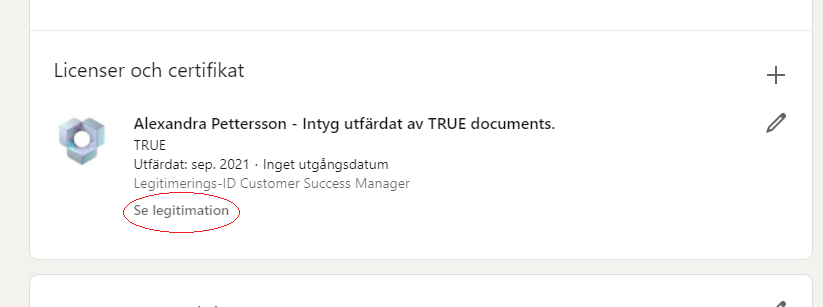
Click on "add on" and select the LinkedIn icon on the page for your document (see image):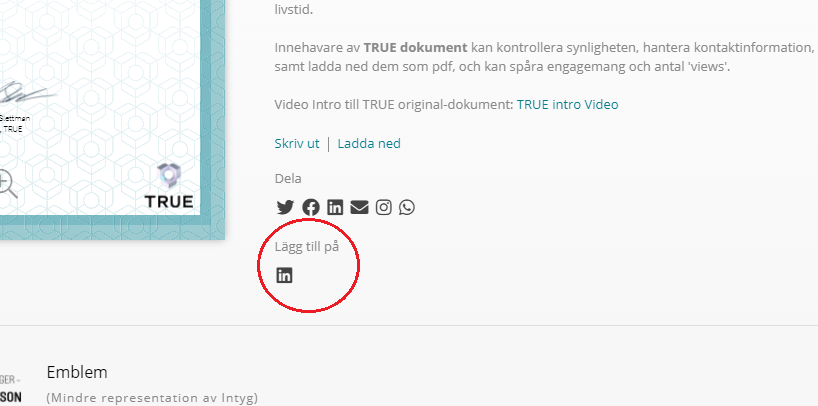
Then fill in:
1. Issuing organization: The company that issued the document.
2. Date.
3. Credentials / ID: The competency that the certificate strengthens.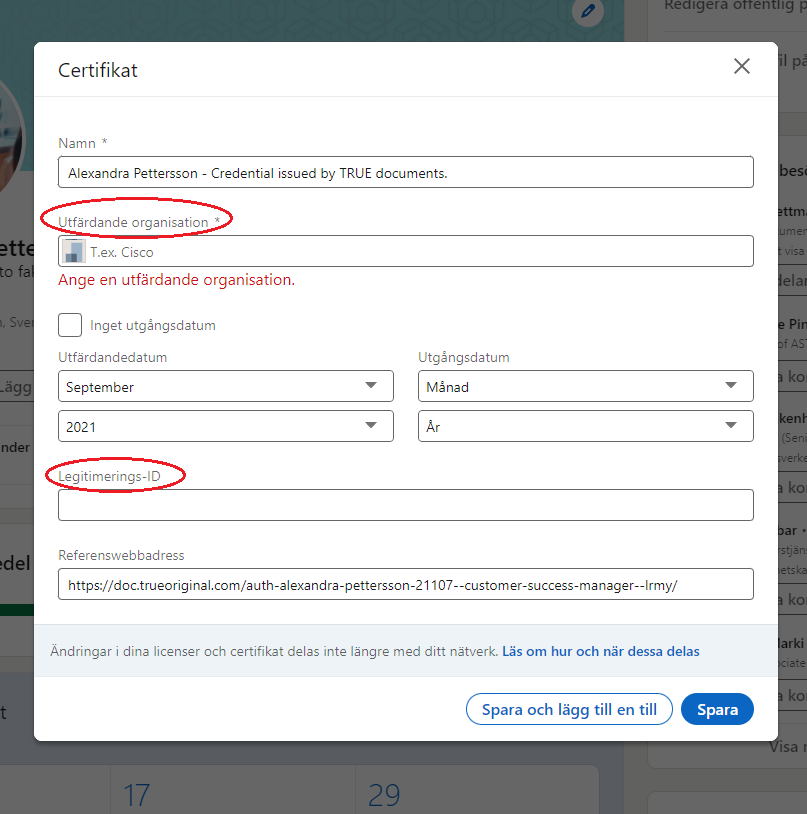
Want to dig deeper?
Articles on the topic from the TRUE blog.
Still need help?
Our support team answers questions this article does not.
Contact support