Make a document private so that only the recipient and the issuer can see it
Updated 2026-10-15
If you hide your document behind a password, it is not possible to share it on social medias and it is not visible in Google searches.
Each recipient has the opportunity to hide their documents from the public - this is easily done by following the steps below:
1. Select "Sign in (recipient)" at the bottom of the page.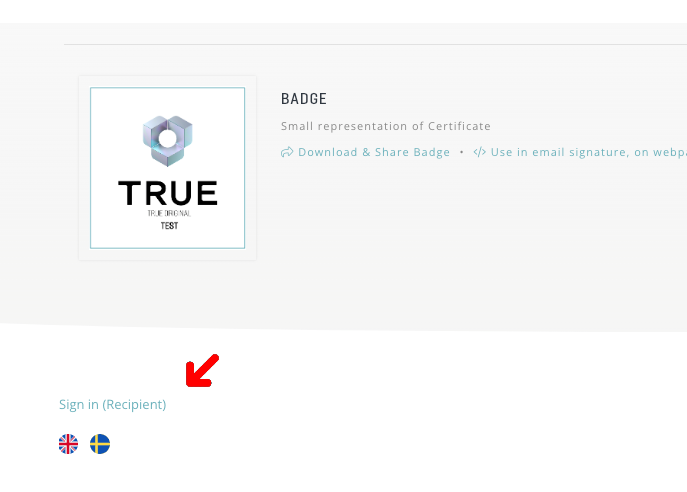
2. Fill in your email address.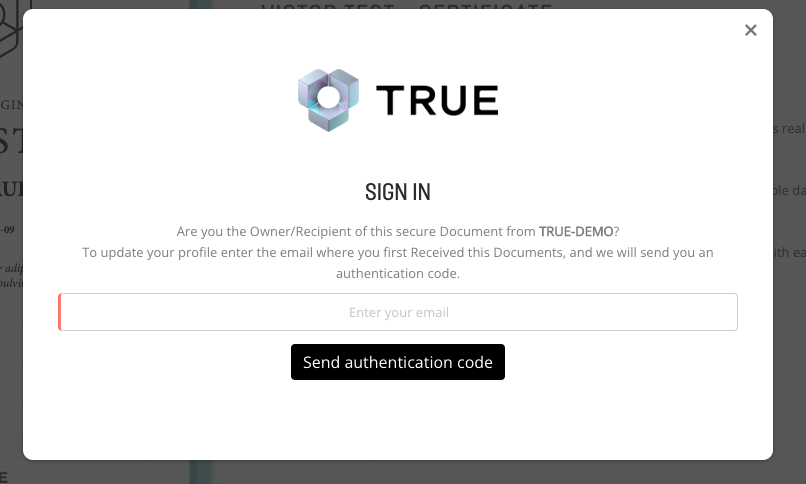
3. You have now received an email from [email protected] with a verification code: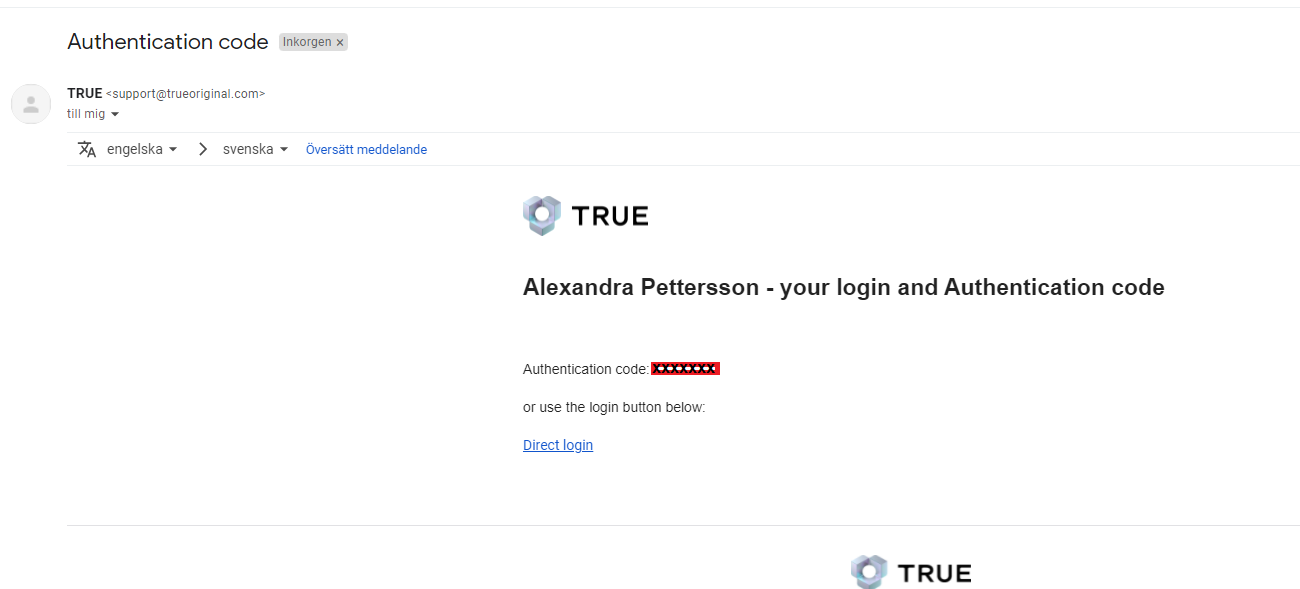
4. Type in your code. 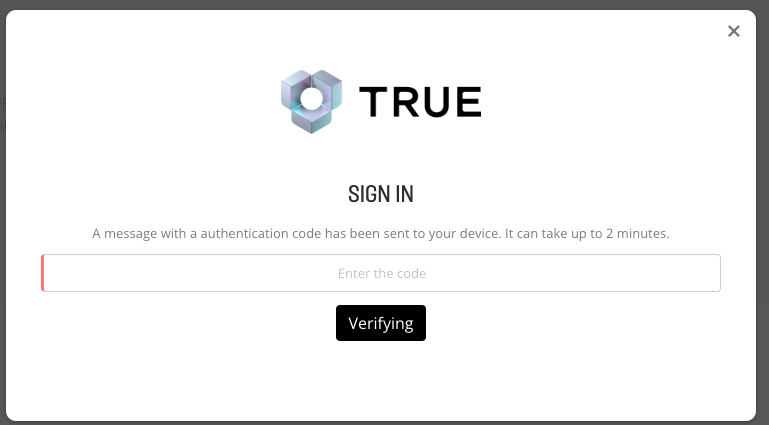
5. Choose"privacy settings" at the bottom of the page.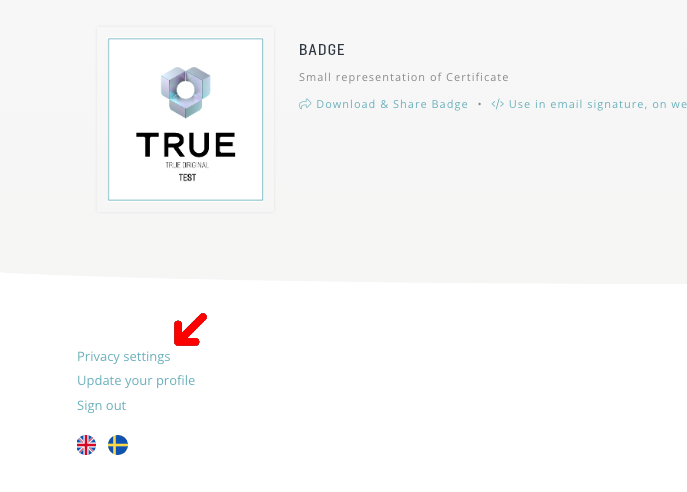
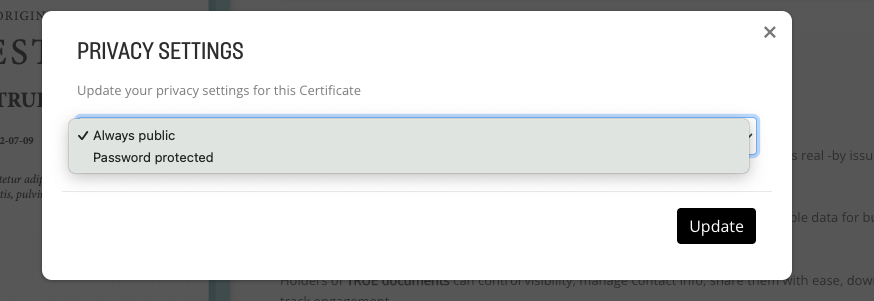
6. Choose "password protected" -> "update" and follow the instructions.
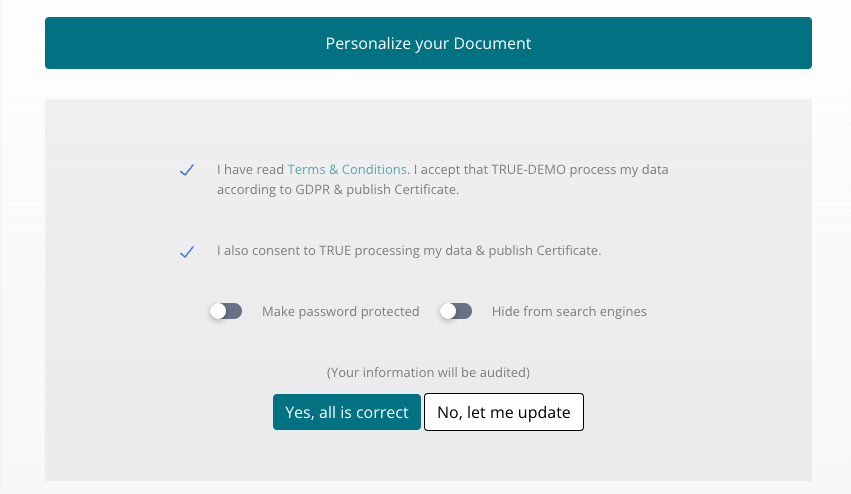
Note! Recipients can also choose to hide their document behind a password when they accept GDPR and their contact information. Presented as below;
Want to dig deeper?
Articles on the topic from the TRUE blog.
Still need help?
Our support team answers questions this article does not.
Contact support